Review
Starfall did not feel like a conventional mobile game when I first opened it. There was no character selection screen, daily reward cal...
Starfall: Empowering Interactive Learning Across Platforms
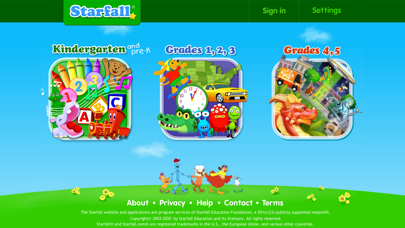
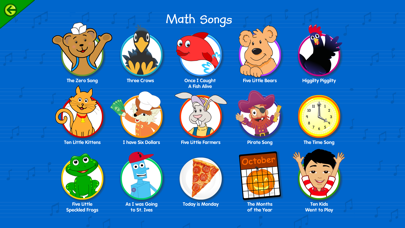
Starfall did not feel like a conventional mobile game when I first opened it. There was no character selection screen, daily reward calendar, competitive leaderboard, or dramatic tutorial. Instead, I found a colorful collection of activities built around reading, numbers, music, and basic school subjects. As a gamer, I approached it like a large casual-game hub: I explored different sections, tested the controls, and paid attention to how quickly each activity introduced its objective.
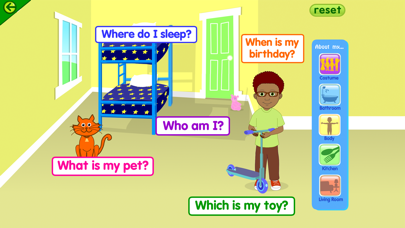
The experience is clearly designed for children, but that does not mean the interface feels careless. Most activities communicate their rules through pictures, sounds, animation, and immediate feedback. I rarely needed to search for instructions. A character, symbol, or highlighted object usually showed me what to press next, making the learning process feel closer to discovering a mechanic than reading a lesson sheet.
I Started With the Reading Activities
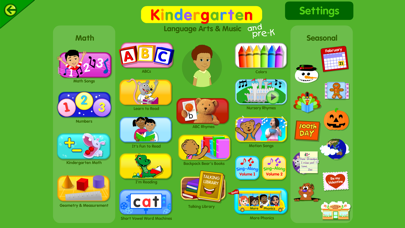
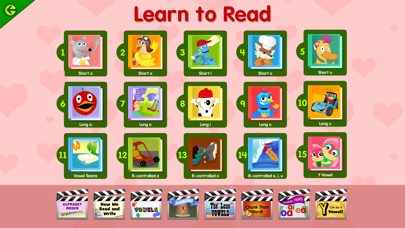
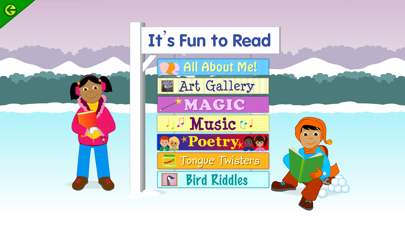
The alphabet and phonics sections gave me the clearest idea of how Starfall teaches. Instead of presenting a long explanation about letters and sounds, the app breaks the process into small interactions. I could select a letter, hear its pronunciation, watch an animation, and connect it with recognizable words or objects.
From a gaming perspective, the structure reminded me of a sequence of short tutorial levels. Each screen introduces one manageable idea, asks for a simple response, and then moves forward before the activity becomes tiring. There is very little pressure, and mistakes do not create a harsh failure screen. The app normally repeats the relevant sound or provides another visual clue.
I liked how frequently the reading material used audio. A child who cannot yet read instructions independently can still understand much of the activity by listening and observing. The spoken words are connected to visible letters, which makes the relationship between sound and spelling easier to follow.
How One Learning Loop Usually Felt
- I selected a letter, word, number, or picture;
- The app played a sound or short animation;
- I completed a basic matching or recognition task;
- Starfall confirmed the answer with friendly feedback;
- The activity introduced a slightly different example.
This loop is simple, but it suits the audience. The app does not expect a young learner to remember a complicated control scheme. Once I understood how one activity worked, I could usually navigate the next one without additional help.
A Collection of Small Games Rather Than One Big Campaign
Starfall does not have a central story that connects every activity. I was not guiding one hero through a long adventure or unlocking a continuous chain of worlds. The app feels more like a digital learning center containing many small experiences.
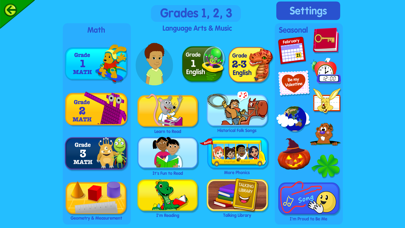
That design gave me freedom to move between subjects. I could spend a few minutes working with letters, switch to a counting exercise, listen to a song, and then open a seasonal activity. There was no requirement to complete a long session before changing direction.
The downside is that the experience can initially feel scattered. A child may repeatedly choose the brightest or funniest activity instead of following a structured learning path. I found the open layout enjoyable for exploration, but younger players may benefit from an adult choosing a specific section or creating a simple routine.
The Math Section Changed the Pace
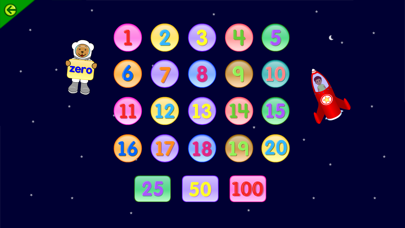
After spending time with phonics, I moved into the mathematics activities. The visual style remained friendly, but the interaction became more focused on quantities, shapes, and basic calculations. Numbers were often connected to objects rather than displayed as abstract symbols alone.
I found this especially effective in the early counting activities. Moving, selecting, or comparing visible items made the task feel more concrete. It resembled a basic puzzle game where the objects on the screen also explained the rule.
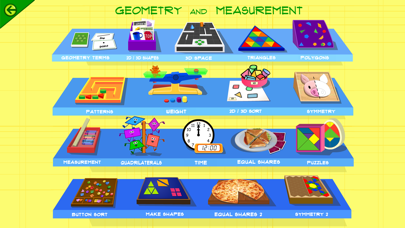
The more advanced material introduces addition, subtraction, multiplication, division, fractions, geometry, and measurement. The difficulty does not remain at the preschool level, so the app has room to support children after they understand the alphabet and basic numbers.
As someone accustomed to progression systems, I appreciated seeing the subjects become more demanding. However, the transitions are not always presented like clearly numbered game levels. I sometimes had to explore the menus to understand which activity represented the next logical step.
My Favorite Moments Were the Interactive Ones
Starfall is strongest when it allows the learner to influence what happens on screen. Pressing a letter and hearing its sound is useful, but an activity becomes more memorable when the input changes an animation, completes a pattern, or helps a character continue.
These interactions are not mechanically complex. I was not solving elaborate puzzles or managing several systems at once. The appeal came from the connection between my action and the educational response. A correct selection might complete a word, reveal a picture, or trigger a small celebration.
The feedback also arrives quickly. I never had to finish a long page of exercises before discovering whether an answer was correct. That immediate response follows one of the principles that makes games engaging: the player understands the result of an action while the decision is still fresh.
Sound Is Part of the Interface
I normally treat music and voice acting as presentation elements, but in Starfall they are part of the navigation system. Spoken instructions, letter sounds, songs, and verbal confirmation help explain what the icons and pictures mean.
The voice work is deliberately clear and expressive. Words are pronounced slowly enough for a learner to identify their components, but most activities do not sound like dry classroom recordings. Characters and songs add enough personality to keep the exercises from becoming mechanical.
I recommend using the app with sound enabled whenever possible. Several sections lose much of their educational value when muted, particularly those focused on phonics, pronunciation, rhymes, and music. Headphones can help in a shared room, although younger children should still remain aware of their surroundings.
The Visual Style Prioritizes Recognition
Starfall uses bright colors, large buttons, expressive characters, and clearly separated objects. It does not attempt to compete with modern 3D games in visual complexity. The graphics are functional, playful, and easy to recognize.
Some animations have a simple storybook quality. As a gamer accustomed to detailed environments and smooth cinematic movement, I noticed that the presentation could look modest beside newer entertainment apps. Yet greater visual complexity would not necessarily improve the learning experience. Too many moving elements could make it harder for a child to identify the correct letter, number, or button.
The restrained style also helps Starfall maintain a consistent identity across many subjects. A math activity and a reading exercise may use different mechanics, but they still feel like parts of the same application.
There Was No Pressure to Perform
One aspect I valued was the absence of aggressive competition. The activities I tested did not constantly compare my results with other players or push me toward a public score. The focus stayed on completing the current task and receiving confirmation.
This creates a gentler atmosphere than many mobile games. There is no fear of losing a rank because I answered slowly, and the app does not turn every interaction into a limited-time challenge. A learner can repeat an activity without the experience presenting repetition as failure.
That relaxed design may be particularly useful for children who hesitate when they believe every answer is being judged. Starfall encourages participation through sound and animation rather than punishment. At the same time, older children who enjoy visible achievements may want a stronger sense of progression.
Where I Wanted More Control
While exploring the app, I occasionally wished for a clearer way to create a fixed play session. The large range of sections encourages curiosity, but it can also tempt a child to leave an exercise whenever another icon looks more exciting.
A stronger parent-controlled playlist could improve this experience. I would like to select several activities in advance and let the learner complete them in sequence before returning to open exploration. That would preserve Starfall’s playful character while making it easier to focus on a particular skill.
I also wanted more visible explanations of progress. A simple map showing completed topics, recently practiced skills, and suggested next steps would make the app easier to use over several weeks. Without that structure, Starfall can sometimes feel like a shelf full of educational mini-games rather than one connected learning journey.
I Tested It in Short Sessions
Long sessions did not feel necessary. I found the app more effective when I treated each visit like a collection of short quests. I could complete one reading activity, one math exercise, and a song without turning the experience into an exhausting study period.
This format also made repetition easier. Returning to the same letter or number on another day felt less monotonous because Starfall often presented it through a different picture, sound, or interaction. The activities are brief enough to revisit without demanding a large time commitment.
For younger learners, I would keep sessions focused rather than allowing unrestricted screen time simply because the content is educational. The app works best as one learning tool among conversations, physical play, books, drawing, and real-world practice.
Free Exploration Eventually Reaches Locked Areas
Starfall provides material that can be explored without paying, so I was able to understand its teaching style before considering additional access. However, not every activity is available in the free experience. Some sections require a subscription.
I prefer this approach to a game that hides its basic mechanics until after payment. The free content demonstrates how the interface, voices, animations, and exercises work. It gives parents an opportunity to see whether a child responds positively to the format.
The locked content can still interrupt exploration. A child may choose an attractive activity and discover that it is unavailable. That moment may require an adult explanation, especially when free and paid sections appear within the same broader interface.
No Advertising Made the App Feel Calmer
Many free mobile experiences interrupt every few interactions with promotional videos, unfamiliar links, or purchase screens. That would be particularly distracting in an application designed for young children. Starfall’s ad-free environment helped the activities maintain their rhythm.
I did not have to close unrelated pop-ups between exercises or worry that a colorful advertising button would lead away from the learning section. This made the app feel more controlled and reduced the visual noise surrounding each task.
The subscription prompts are connected to Starfall’s own additional content rather than external advertising. They still need to be understood by the adult managing the account, but they do not constantly compete with the educational material.
How I Would Use Starfall at Home
I would not hand the app to a child and assume that every available activity automatically creates a complete curriculum. I would use it as a guided supplement. The strongest routine would connect an on-screen activity with something that happens away from the device.
After completing a letter exercise, I could search the room for objects beginning with that sound. Following a counting game, I could count toys, fruit, or steps. A digital story could lead into reading a physical book together. This approach turns Starfall into the beginning of an activity rather than the entire activity.
A Simple Twenty-Minute Routine
- Five minutes with a phonics or reading activity;
- Five minutes with numbers, shapes, or basic mathematics;
- Five minutes repeating the same idea using physical objects;
- Five minutes choosing a song, story, or favorite mini-game.
The final choice gives the learner some control while the earlier sections maintain a clear educational purpose. It also prevents every session from feeling identical.
What Stayed With Me After Exploring Starfall
Starfall is not the type of game I would judge by challenge, narrative depth, or mechanical mastery. Its success depends on whether it makes an educational task approachable enough for a child to attempt it again. In that area, I found the app thoughtful and easy to understand.
The strongest activities combine sound, pictures, and immediate interaction without overwhelming the screen. Reading and mathematics are divided into manageable pieces, and the lack of external advertising keeps the environment focused. The open collection of subjects provides variety, although it can also make the learning path feel less structured than I would prefer.
From my perspective as a gamer, Starfall works like an introductory adventure hub filled with small skill-building quests. It does not replace a teacher, parent, book, or real conversation. What it can do is make practice feel less intimidating. When used in short, guided sessions, its playful feedback and accessible controls create a comfortable bridge between learning and digital play.
Pros:
- Multi-platform compatibility allows access across various devices
- Interactive modules and engaging activities make learning enjoyable
- Adaptive content caters to diverse learning styles
- Quick load times and robust performance ensure stable usage
- Strong security measures protect user data and privacy
- Highly intuitive and user-friendly interface enhances ease of navigation
Cons:
- Some advanced modules may require an active internet connection
- Installation and setup can be challenging in highly restricted network environments
- Not directly available for Windows without using a web browser

How much storage do you need?
 Starfall






Recent Reviews
Minecraft

Grand Theft Auto V

Toca Boca World

Roblox

Leave a comment
Your comment is awaiting moderation. We save your draft here
0 Comments