
Review
House Flipper 2 gave me one of those deceptively simple opening tasks that make renovation games so difficult to leave. I entered a neg...






House Flipper 2: A Revolutionary Blend of Creative Renovation and Strategic Mastery
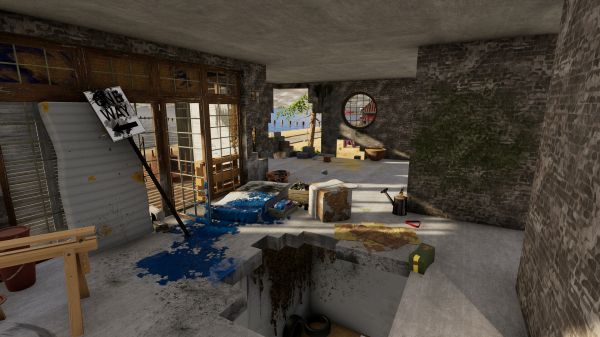
House Flipper 2 gave me one of those deceptively simple opening tasks that make renovation games so difficult to leave. I entered a neglected property intending to clean the obvious mess, replace a few damaged surfaces, and complete the client’s instructions as efficiently as possible. Before long, I was comparing cabinet colors, adjusting the position of a dining table by tiny increments, and repainting a wall the client had not asked me to touch because the original shade no longer matched the room I had created. The game succeeds because every minor improvement reveals another imperfection, and every solved problem creates an opportunity to redesign something that was technically acceptable.
The central routine remains familiar to anyone who played the first House Flipper. I accept jobs, remove rubbish, clean stains, sell unwanted furniture, repair damage, paint walls, lay flooring, purchase objects, and gradually transform uncomfortable spaces into homes someone might reasonably want to inhabit. House Flipper 2 improves the feel of these actions, expands the construction tools, and places them inside a brighter, more coherent world. It does not reinvent virtual renovation, but it makes the moment-to-moment work smoother enough that returning to an old house feels inviting rather than obligatory.
Cleaning Is Still Repetitive, but It Is Repetitive in a Satisfying Way
Cleaning forms the foundation of most early jobs, and the activity remains deliberately uncomplicated. Dirt appears on floors, walls, windows, furniture, and exterior surfaces, while rubbish must be picked up or removed before the structure begins looking usable. The visual transformation is immediate, which gives every movement a clear reward even when the input itself involves little skill. I may not be making an important design decision while wiping a window, but I can see the room becoming brighter with every completed section.
The repetition works because the game separates a large renovation into visible stages. A room begins as a confusing collection of damage, clutter, and poor choices, then becomes readable once the rubbish is gone and the surfaces are clean. This creates a calm rhythm in which I can work without constantly checking complex statistics or failure conditions. Cleaning can still become tedious in oversized properties, especially when a tiny stain remains hidden behind furniture, but the upgraded tools and clearer visual feedback reduce much of the frustration found in the original game.
Painting Feels More Physical Without Becoming Complicated
Painting walls is one of the activities where House Flipper 2 finds a useful balance between simulation and accessibility. I select a color, prepare the tool, and cover the surface in visible sections rather than clicking a menu and watching the room update instantly. The process is simple enough to become relaxing, but it still gives me a sense that I performed the work personally. Watching an unpleasant wall disappear beneath a better color remains one of the game’s most reliable forms of satisfaction.
The improved system also makes experimentation less intimidating because changing a poor choice does not require an enormous investment of time. I can test a darker wall, compare it with the furniture, and repaint it when the room begins looking smaller than intended. Color selection is broad enough to support distinctive interiors, although the way shades appear can change dramatically under different lighting. I learned to check a room during both daylight and evening before deciding that a color was truly finished.
Surface Finishing Gives Rooms a Stronger Identity
Paint is only one option, and the game gives me tiles, panels, wallpaper, wood finishes, and other materials for creating different styles. These choices matter because a room can change character without changing its layout. The same small bathroom may feel clean and modern with pale tiles, warm and traditional with textured panels, or visually chaotic when I combine several materials without restraint. House Flipper 2 provides enough freedom to reward taste while never preventing me from producing something genuinely terrible.
Applying surfaces is satisfying when I have a clear plan, but large walls can expose the repetitive nature of the interaction. The area-based improvements introduced through updates help reduce unnecessary manual work, yet the game still wants me to participate rather than automate every renovation. I appreciate that decision because instant application would weaken the fantasy of physically changing the property. The best tools save time without turning renovation into spreadsheet management.
The Flipper Tool Is the Real Star of the Sequel
The upgraded Flipper tool combines selling, copying, changing styles, adjusting finishes, and manipulating objects in ways that make redesign far faster than before. Instead of searching through the store every time I need another matching chair or lamp, I can duplicate an existing item and keep the room visually consistent. Variant selection lets me change colors and materials without replacing the whole object, which is especially useful when a furniture arrangement works but the finish does not. These functions reduce the time spent fighting menus and increase the time spent making actual design decisions.
I found the copying function almost too convenient because it encouraged me to create symmetrical rooms filled with repeated objects. This produces clean results quickly, but it can also make interiors look like showrooms rather than lived-in homes. I had to remind myself that realistic rooms benefit from variation, clutter, and small imperfections. The tool gives me efficiency, but it remains my responsibility to avoid using efficiency as a substitute for personality.
Furniture Placement Is Flexible Enough to Encourage Obsession
Objects can be moved, rotated, duplicated, recolored, stacked, and positioned with far greater control than the simple premise suggests. I can create a functional room in minutes, but creating a room that feels intentionally designed takes much longer. The difference may come from shifting a sofa away from the wall, lowering a lamp, adding a rug, or leaving enough empty space around a table. House Flipper 2 is excellent at making tiny adjustments feel important because I spend so much time viewing the property from a human scale.
The placement system is not flawless. Snapping can help with alignment but may resist an unusual arrangement, while turning snapping off can make precise positioning difficult. Small decorative objects are especially awkward because they may attach to the wrong surface or become difficult to select once several items overlap. The system gives me substantial freedom, though it occasionally reminds me that I am manipulating objects through a first-person interface rather than using professional design software.
Story Mode Gives My Renovations a Place and a Reason
Story Mode takes place around Pinnacove, a coastal community divided into neighborhoods with different architectural and social identities. Clients contact me with renovation requests, personal explanations, and occasionally questionable ideas about what a room needs. These stories are light, but they give each property more context than a generic list of objectives would provide. A messy bedroom, neglected family house, or abandoned business feels more meaningful when I understand who is expected to use it afterward.
The writing is warm and sometimes humorous without demanding that I remember a complicated plot between jobs. Tom, the player character’s contact and guide, connects the assignments and helps establish the town as more than a collection of isolated buildings. I enjoyed discovering small details inside properties because furniture, photographs, notes, and room layouts often suggest more than the client explains directly. The narrative rarely becomes emotionally powerful, but it gives routine work enough personality to prevent the campaign from feeling like a long tutorial.
Client Instructions Create Useful Limits
Job objectives usually specify which rooms need cleaning, which objects should be removed, and what furniture or surfaces the client expects. These limits help me focus and introduce tools gradually, especially during the early campaign. I do not need to redesign an entire house every time because a successful job may require only a few targeted improvements. Completing the requested minimum is quick, while pursuing a perfect result gives me permission to spend much longer.
The system can occasionally restrict creativity because clients may demand objects that do not fit my preferred design. I may create a balanced room, then discover that one required chair or decorative object disrupts the composition. This tension is appropriate for contract work because real designers do not receive unlimited freedom, but the scoring system could respond more intelligently to alternative solutions. The best jobs provide a clear need while leaving enough space for personal interpretation.
Demolition Feels Powerful Until I Remove the Wrong Wall
Breaking walls is one of the most immediately entertaining activities because it changes the property’s layout rather than only its appearance. The hammer delivers convincing impact, debris falls away, and closed rooms can become open spaces within minutes. Updated area demolition tools improve the process further by allowing larger sections to be removed without striking every block individually. The result makes structural redesign more practical, especially in properties where the original floor plan is the main problem.
This freedom also creates mistakes that are expensive in time rather than money. I have removed walls before checking alignment, opened spaces that became difficult to furnish, and created wide rooms with no natural division between functions. Rebuilding is possible, but correcting a careless decision can take longer than making it. House Flipper 2 rewards players who inspect the full property before swinging the hammer, even though swinging first is often more entertaining.
Building Walls Is Easier Than Designing a Good Floor Plan
Constructing walls allows me to divide large areas, add rooms, create corridors, and correct layouts that no longer support my design. The tool is easy to understand, and the grid-based structure keeps walls aligned cleanly. I can produce a technically functional floor plan quickly, but circulation, natural light, furniture clearance, and room proportions require more thought. A plan that looks sensible from one angle may feel awkward once I walk through it.
The top-down and planning-oriented tools added through updates make layout work easier by showing relationships that are difficult to judge from ground level. I can identify wasted corners, uneven room sizes, and corridors that consume too much space before filling the property with furniture. These improvements move the game slightly closer to a design tool without losing its accessible first-person identity. I still make questionable architectural decisions, but I now recognize them earlier.
Sandbox Mode Is Where House Flipper 2 Becomes a Construction Game
Sandbox Mode allows me to create buildings from the ground up rather than beginning with an existing structure. I can shape terrain, build foundations, place walls, create roofs, design interiors, and establish objectives for custom jobs. This dramatically expands the game because renovation no longer depends on the properties supplied by the campaign. I can recreate a real house, experiment with a fantasy layout, or design a deliberately difficult project for other players.
The mode has a steeper learning curve than Story Mode because an empty plot provides no guidance. Every dimension, entrance, window, room, and roof line becomes my responsibility. I initially built structures that were too large because open land distorted my sense of scale, then spent hours trying to fill rooms that never needed to exist. Sandbox rewards planning, references, and restraint far more than spontaneous construction.
Roof Building Tests My Patience More Than My Creativity
Roofs are essential for giving a building a finished silhouette, but they remain one of the more awkward parts of construction. The available shapes and adjustable parameters support many architectural styles, yet combining several roof sections cleanly can require repeated experimentation. Small changes in wall dimensions may create gaps, overlaps, or strange transitions that are difficult to solve from the ground. I often spend longer correcting the roof than designing the rooms beneath it.
The frustration comes partly from how strongly a poor roof affects the entire building. An interior may be carefully planned, but one awkward exterior angle can make the property look unfinished. Better snapping, clearer guides, and more automatic joining would make the system more approachable without removing creative control. The current tools are capable, but they expect patience from players who may have entered Sandbox only to decorate a pleasant cottage.
Custom Jobs Give the Community More Than Empty Houses
Sandbox creators can build scenarios with objectives, before-and-after states, and structured renovation tasks rather than sharing only completed buildings. This transforms user content into something closer to developer-made jobs. I can download another player’s neglected property, complete the assigned cleaning and construction work, then compare my result with the original intent. The system extends replay value because community creators are not limited to visual showcases.
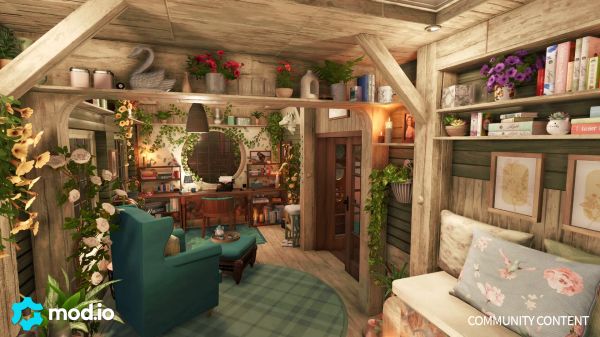
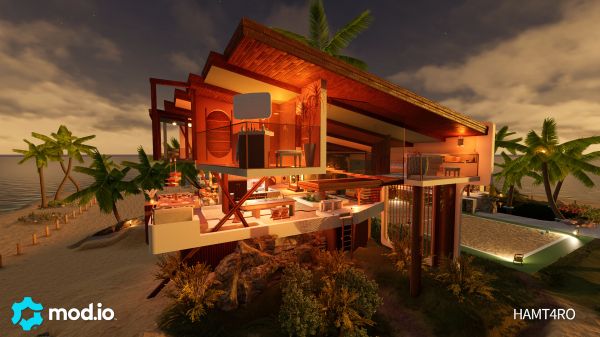
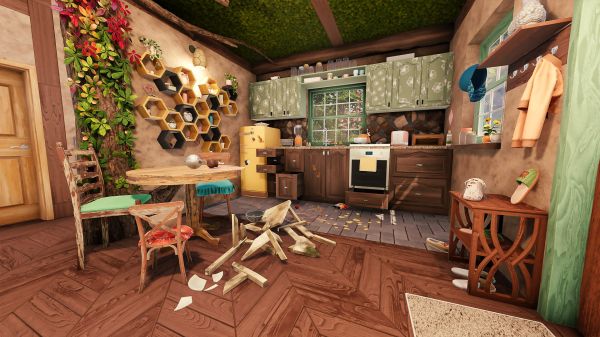
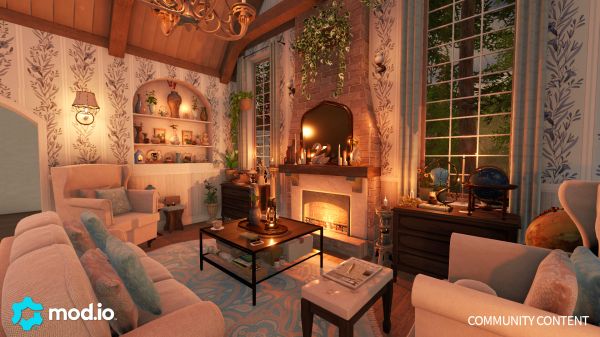
Quality varies enormously, as expected. Some custom jobs contain thoughtful progression, readable objectives, and believable properties, while others provide unclear instructions or environments that perform poorly. mod.io integration makes sharing accessible across supported platforms, which helps the community remain broader than a PC-only workshop. Discoverability and filtering remain crucial because a large library becomes valuable only when I can find projects matching the type of experience I want.
Co-op Turns Renovation Into Coordinated Disorder
The free cooperative mode allows up to four players to work together across Story and Sandbox content with cross-platform support. This changes the pace dramatically because one player can clean, another can paint, and others can manage furniture or construction simultaneously. Large jobs become faster, and seeing several people attack different parts of a ruined house creates a satisfying sense of organized work. The mode is especially useful for players who enjoy designing collaboratively rather than showing each other finished houses afterward.
Coordination is necessary because unrestricted help can become destruction. A friend may sell an object I intended to keep, repaint a finished wall, or purchase furniture that does not fit the design. Dividing rooms and responsibilities reduces conflict, though some disagreement is part of the entertainment. Co-op is strongest when the group shares a general style and weakest when four players treat the property as four unrelated personal projects.
Co-op Also Reveals How Personal Interior Design Can Be
Working with other players made me realize how many design assumptions I had never articulated. I may prefer warm lighting, open floor plans, and limited decoration, while another player fills every wall and corner because empty space looks unfinished to them. Neither approach is objectively wrong, but combining them without discussion produces chaotic rooms. House Flipper 2 becomes an accidental exercise in communication because every purchase expresses a preference.
The best cooperative projects develop rules before work begins. We may choose a color palette, assign one person to approve furniture, or allow each player to design a separate room. These limits create more coherent results and prevent the final property from looking like four catalogues collided. The mode is not only faster renovation; it is a different social experience built around compromise.
Buying and Selling Houses Gives the Campaign Its Long-Term Loop
Once I gain enough money, I can purchase neglected properties, renovate them according to my own plan, and sell them through auctions. This is where the title’s business fantasy becomes most visible because every design decision can affect the final buyer response. I decide how much money to invest, whether structural changes are worthwhile, and when the property is finished enough to sell. The system creates a useful contrast with client jobs, where payment is tied more directly to completing instructions.
The improved buyer system gives clearer feedback about preferences, dislikes, and the features influencing bids. This makes the auction less mysterious and allows me to target a property toward a particular type of customer. I appreciate the additional information, but I do not always enjoy designing only for the most profitable buyer. Sometimes I accept a lower return because the house I prefer would become worse if altered to satisfy the market completely.
Buyer Preferences Add Strategy but Can Encourage Formulaic Homes
Understanding what buyers want creates a layer of economic planning. A family may value bedrooms and practical space, while another customer prefers luxury, modern finishes, or a particular room arrangement. This means one universal design will not maximize every auction, and properties can be matched with likely buyers before renovation begins. The system rewards players who treat house flipping as business rather than pure decoration.
The downside is that optimization can reduce creativity. Once I know which objects and layouts trigger a buyer’s preferences, I can repeat a profitable formula across several houses. This may be efficient, but it makes the homes feel less individual. I enjoy the game more when buyer requirements guide the project without determining every item inside it.
Pinnacove Is Attractive but Not Fully Alive
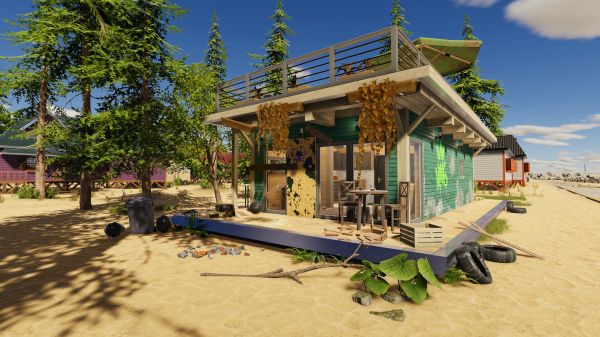
The town has coastal views, residential streets, wooded areas, and neighborhoods with distinct architectural styles. Moving between jobs creates a stronger sense of geography than selecting isolated properties from a menu. The brighter lighting and cleaner visual presentation make the region pleasant even before I improve a single building. I particularly enjoy houses with views toward the sea because windows become part of the interior design rather than neutral wall openings.
The world remains mostly a backdrop. Streets have limited activity, neighbors rarely affect the property, and the town does not respond visibly as my business grows. I may renovate many houses without feeling that the community itself has changed. More pedestrians, changing businesses, local events, and visible reactions to completed jobs would make Pinnacove feel like a place I am genuinely improving.
The Visual Upgrade Is Clear in Every Material
House Flipper 2 improves lighting, textures, object detail, reflections, and environmental readability compared with the original. Wood, tile, paint, metal, fabric, and glass respond more convincingly to light, which makes material choice more meaningful. A dark room can feel dramatically different after changing the windows, wall color, and lamps even when the layout remains untouched. This visual clarity is essential for a game where the reward comes from comparing the property before and after renovation.
The stylized presentation keeps the game from demanding photorealistic hardware, but detailed properties can still be visually impressive. Some objects remain simpler than others, and repeated assets become noticeable after many jobs. The overall consistency matters more than individual perfection. Furniture from different sets usually fits the same world, allowing mixed interiors without obvious quality gaps.
Lighting Can Rescue or Ruin a Room
Artificial lighting has a major effect on color, atmosphere, and the apparent size of a space. A room that looks balanced during daylight may become unpleasantly yellow or too dark at night. I began placing lights earlier in the design process rather than treating them as final decoration. This changed how I selected wall colors and furniture because lighting should be considered part of the room’s structure.
The variety of lamps and fixtures supports different styles, but controlling several light sources could be more convenient. I would welcome stronger grouping options, clearer brightness information, and easier comparison between temperatures. The current system allows attractive results but often requires walking between switches and checking the room repeatedly. Good lighting feels rewarding because the game does not produce it automatically.
The Object Catalogue Is Broad Enough to Build Distinct Homes
The base collection includes furniture, appliances, plants, pictures, lighting, storage, bathroom fixtures, kitchen components, decorations, and construction elements across several styles. Free updates have expanded the catalogue further, while paid content adds more specialized themes. I can create minimalist apartments, family homes, coastal cottages, colorful children’s rooms, industrial lofts, or deliberately unfashionable spaces. The search and filtering tools are necessary because a large collection becomes difficult to navigate without them.
Quantity does not remove every gap. I sometimes find the correct type of object but not the exact size, finish, or style required for the room. Modular systems are especially valuable because they allow one item family to adapt across many designs. The game has improved substantially in this area, though a renovation simulator can never have enough doors, windows, shelves, and kitchen components for players with specific references.
Sakura DLC Gives the Game Its Strongest Themed Architecture
Sakura DLC adds Japanese-inspired environments, jobs, buyers, houses, collectibles, assemblies, and more than six hundred themed objects. The content covers traditional interiors, countryside properties, Japandi furniture, paper walls, ceramics, plants, smart bathrooms, and garden elements. I enjoyed it because the visual theme affects architecture and layout rather than functioning only as a decorative furniture pack. Renovating a tearoom or older Japanese building requires different instincts from redesigning another Pinnacove suburban home.
The large item collection also improves Sandbox beyond the DLC campaign because these pieces can be mixed with the base catalogue. I found the natural wood, restrained colors, screens, and garden objects especially useful for creating calm interiors elsewhere. Cultural inspiration is always vulnerable to simplification, and the game presents an accessible design fantasy rather than a scholarly architectural study. Even so, the developers clearly invested more effort than simply adding cherry blossom decorations to ordinary rooms.
Paid DLC Is Easier to Accept When Free Updates Remain Substantial
House Flipper 2 sells themed expansions, but it has also received major free improvements, items, cooperative play, buyer changes, and quality-of-life tools. This balance matters because the base game should continue becoming better without requiring every player to purchase additional styles. I never felt that the fundamental renovation mechanics were locked behind DLC. Paid content focuses more on new locations, campaigns, themes, and large item sets.
The total cost can still grow for collectors who want every property and furniture category. A design game makes optional objects unusually tempting because one missing set may appear perfect for a planned project. I prefer expansions with substantial jobs and regions rather than small collections sold mainly for decoration. Sakura provides enough content to feel like an expansion instead of a catalogue fragment.
The Sound Design Makes Routine Work More Physical
Scrubbing, painting, hammering, vacuuming, placing tiles, selling objects, opening doors, and moving furniture all have clear sound effects. These noises provide important confirmation because many tasks involve repeated movement across large surfaces. A finished section sounds different from an active one, helping the work feel responsive even when the mechanics remain simple. The audio is not dramatic, but it supports the tactile quality of renovation.
Background music is calm and designed to stay unobtrusive during long sessions. I often appreciate it during client jobs, although repetition becomes noticeable when decorating one property for several hours. The game also works well with podcasts or personal music because most tasks do not depend heavily on dialogue. Full voice work and improved client presentation give jobs more character without dominating the quiet atmosphere.
Performance Is Generally Strong, but Detailed Builds Can Become Heavy
The game runs smoothly during ordinary Story Mode jobs on suitable hardware, and loading times are reasonable given the amount of movable furniture and surface data. Problems become more noticeable in large Sandbox projects filled with many small objects, complex lighting, and custom content. Frame rates can decline, selection may become slower, and the interface has more work to perform as the property grows. This is not unusual for construction games, but it places a practical limit on extremely detailed builds.
Co-op and user-created houses introduce additional variables because every object and renovation state must remain synchronized. My experience is generally stable, though occasional placement inconsistencies or interaction delays can appear. Save reliability is especially important after spending many hours on one project, and updates have addressed several issues over time. I still create separate saves before making major structural changes because no amount of relaxation survives losing an entire evening’s work.
The First-Person View Creates Presence and Inconvenience Together
Working from a first-person perspective makes rooms feel physical. I notice ceiling height, walking space, blocked doors, and furniture scale in a way that a detached overhead view might hide. This presence strengthens the before-and-after transformation because I occupy the same uncomfortable room throughout the process. When the renovation is complete, walking through it feels like inspecting work I performed rather than observing a model.
The perspective also makes large planning tasks awkward. Aligning exterior structures, comparing distant walls, or understanding the full floor plan can require repeated movement. Top-down tools and camera improvements help, but the game still alternates between being a renovation simulation and a design application with different viewing needs. I would not replace first-person play, though I appreciate every feature that allows me to step outside it temporarily.
The Game Is Relaxing Because Failure Is Rare
House Flipper 2 does not place strict time limits on most jobs, punish unconventional decoration severely, or force me to maintain personal survival statistics. I can work slowly, leave a property unfinished, experiment with colors, and return later without losing meaningful progress. This lack of pressure makes the game ideal for evenings when I want an objective but do not want tension. The property waits patiently no matter how long I spend deciding between two nearly identical tables.
Relaxation does not mean complete absence of frustration. Hidden dirt, difficult roof pieces, awkward snapping, and an uncooperative object can consume more time than expected. The difference is that these problems rarely threaten the entire save or demand rapid reactions. I am usually irritated by my standards rather than by the game’s consequences.
House Flipper 2 Is More Creative and Slightly Less Cozy Than the Original
The sequel improves construction, visuals, object interaction, customization, and community sharing. It gives me more control over what a property can become, especially in Sandbox. The original game accumulated an enormous amount of content and had a rougher, more eccentric atmosphere that some players may still prefer. House Flipper 2 feels cleaner and more intentionally designed, which makes it easier to use but occasionally less peculiar.
I consider the sequel the stronger creative platform, while the first game may still offer greater variety through its mature DLC library and established systems. The gap continues narrowing as updates and expansions arrive. New players interested mainly in modern tools, construction, and co-op should begin with House Flipper 2. Returning players should expect refinement rather than a completely different fantasy.
My Biggest Frustrations
Object snapping remains inconsistent when I want an unusual arrangement, while small decorative items can become difficult to select in crowded rooms. Roof construction is capable but needlessly awkward, and some large properties turn simple cleaning into a search for one hidden mark. The town lacks activity, buyer optimization can encourage repetitive designs, and very detailed Sandbox builds may affect performance. None of these problems destroys the renovation loop, but they become more visible after many hours.
The catalogue is large yet still produces moments when I cannot find the exact dimensions or style a room needs. Co-op can become chaotic without clear responsibilities, and community content varies widely in quality. Story jobs provide pleasant context, though their objectives sometimes restrict designs without responding intelligently to alternative solutions. House Flipper 2 gives me extensive freedom, but the interface and simulation do not always understand the intention behind my choices.
Who Should Play House Flipper 2?
I recommend House Flipper 2 to players who enjoy interior design, cleaning games, construction, property renovation, creative sandboxes, and low-pressure progression. It works especially well for people who like visible transformation and can find satisfaction in repetitive tasks when every action improves the environment. Story Mode provides enough structure for players who dislike empty sandboxes, while Sandbox supports those who want to design entire buildings. Co-op adds strong value for friends willing to coordinate rather than compete over every room.
I would be more cautious recommending it to players who need complex economic simulation, realistic construction regulations, deep character stories, or demanding management systems. The business side is approachable rather than rigorous, and the renovation process simplifies many real trades heavily. Players who dislike decorating may find the loop repetitive even with improved tools. The game depends on enjoying the work itself, because no dramatic plot will carry someone who finds painting and furniture placement boring.
My Final Verdict
House Flipper 2 is a confident sequel that understands why cleaning and renovation can be satisfying without pretending they are mechanically complicated. Its improved Flipper tool, flexible furniture system, better construction, attractive visuals, Sandbox Mode, custom jobs, and cooperative play create a strong platform for both guided work and personal design. Story Mode gives the properties enough context to make them memorable, while buyer feedback adds a useful business layer. The game consistently turns small improvements into visible rewards, which makes stopping after one room surprisingly difficult.
Its weaknesses come from the same freedom that makes it appealing. Roofs can be awkward, object placement remains imperfect, large builds may affect performance, and buyer preferences sometimes encourage formulaic interiors. Pinnacove is attractive but socially quiet, while the object catalogue can never fully satisfy the range of designs players imagine. I rate House Flipper 2 8.7/10. I may begin a session intending to clean one property, but the game knows that once I notice the kitchen cabinets do not match the floor, the rest of my evening is no longer available.
Pros:
- Extensive customization options allow for unique personal style
- Broad platform availability including unblocked access in restricted networks
- Active community support with mods and cheats to extend gameplay
- Frequent updates improve overall experience based on player feedback
- Visually immersive graphics and optimized performance
- Deep gameplay experience blending creativity with strategic planning
- Intuitive and refined gameplay mechanics enhance user experience
Cons:
- The initial learning curve may be steep for newcomers
- Strategic planning elements might be too demanding for casual gamers
- Mod integration can sometimes result in instability or conflicts









Recent Reviews

Minecraft

Grand Theft Auto V

Toca Boca World

Roblox

Leave a comment
Your comment is awaiting moderation. We save your draft here
0 Comments